
On this page
The short version
- Starting at $999, the Dell XPS Googlebook packs a ~2-pound CNC machined aluminum chassis with unmistakable MacBook Air vibes.
- Powered by the Qualcomm Snapdragon X Elite chip, 16GB DDR5 RAM, and 512GB SSD for native ARM performance and multi-day battery life.
- Features a 13.4-inch QHD+ (2560 x 1600) 500-nit anti-glare matte display, physical glass trackpad, and punchy side-firing speakers.
- Deep Android continuity (“Better Together”) unlocks instant Chrome tab handoff, zero-install phone app streaming, and wireless drag-and-drop file access.
- Ultra-thin minimalism means port compromises: you only get two USB-C ports (one on each side) and no facial recognition IR sensors.
Among the initial hardware partners launching in the first wave of the Googlebook lineup, one device has consistently captured the spotlight: the Dell XPS Googlebook. Marking the very first time Dell has brought its flagship, ultra-premium XPS industrial design to the Google laptop ecosystem, this machine sets out to prove that an Android-powered laptop can go toe-to-toe with Apple’s finest hardware.
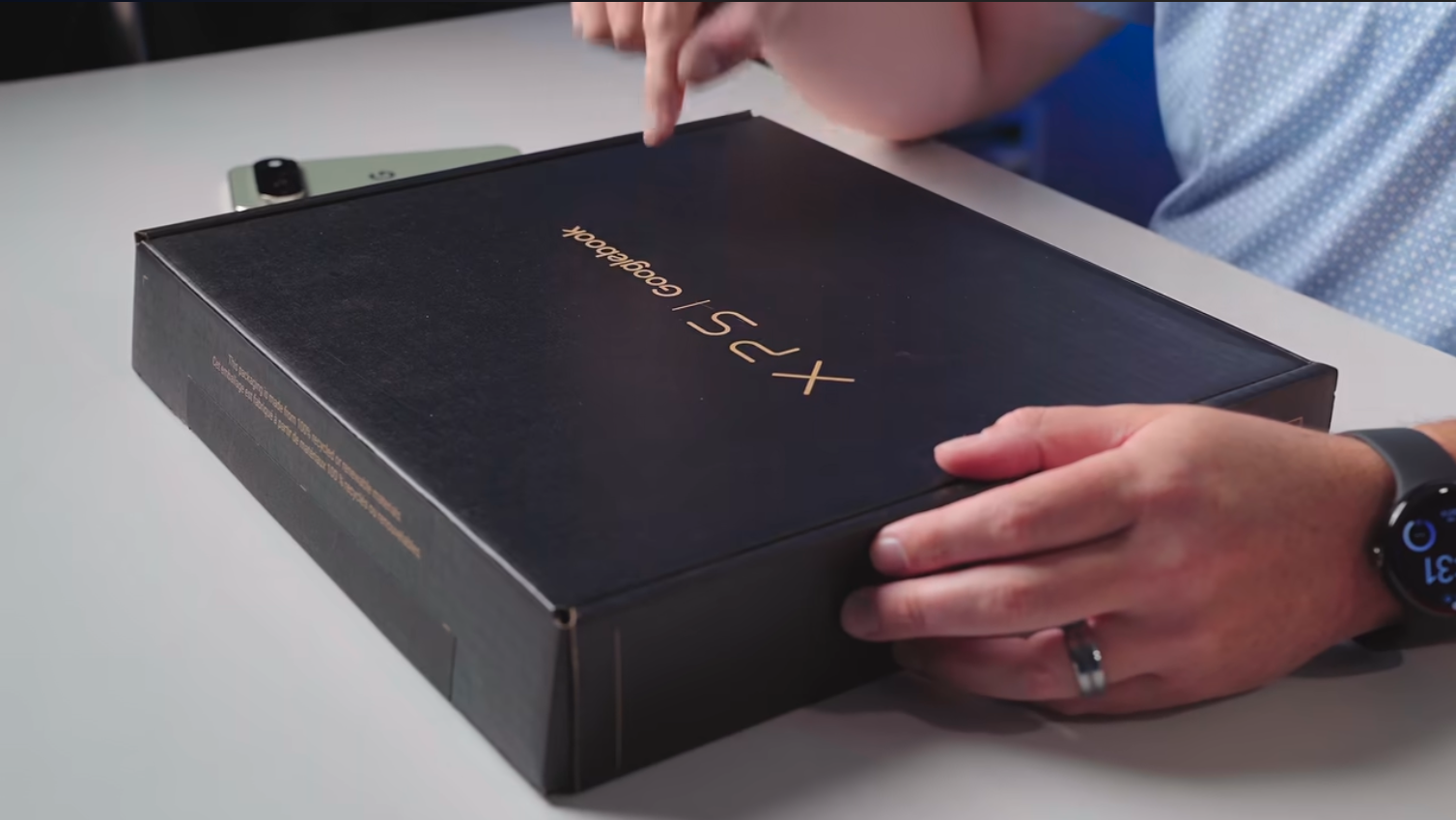
Following Chrome Unboxed’s hands-on unboxing of the retail unit, we now have a complete look at what $999 gets you—from its featherweight machined aluminum chassis to how the Qualcomm Snapdragon X Elite performs out of the gate.
1. Design & Build Quality: Unapologetic MacBook Air Vibes
Right out of the minimalist retail box—which ships with a compact 65W USB-C charger featuring foldable prongs—the Dell XPS Googlebook makes an immediate statement.
Weighing in at barely over 2 pounds, the laptop is crafted from super-thin, rigid machined aluminum. Free of garish OEM stickers, unsightly vents, or excessive branding, it exudes unmistakable MacBook Air vibes. Dell hid the thermal ventilation inside the rear hinge gap and along razor-thin side cutouts, maintaining a clean profile from every angle.
Of course, ultra-thin minimalism comes with one classic trade-off: ports. You get just two USB Type-C ports (one on the left edge, one on the right) and nothing else. If your daily workflow involves hooking up to external HDMI monitors or legacy USB-A accessories, you will definitely be living the dongle life.
2. Display, Audio, and Input: Built for Daily Drivers
Passing the coveted one-finger lift test with ease, opening the lid reveals how Dell packed so much screen into such a compact footprint:
- 13.4-inch QHD+ Matte Display:
Featuring a 2560 x 1600 resolution (16:10 aspect ratio) and 500 nits of brightness, the panel swaps out glossy glass for an anti-glare matte finish that effortlessly diffuses overhead office lighting.Note: While the screen runs at 60Hz out of the box during initial setup, retail unit owners in the community have noted it supports up to 120Hz in the display settings).
- Keyboard & Glass Trackpad: Unlike experimental XPS models with invisible capacitive touch rows, the XPS Googlebook sticks to fundamentals: a snappy, backlit keyboard paired with a quiet, physical glass trackpad.
- 1080p Webcam & Biometrics: Tucked into the razor-thin top bezel is a 1080p camera that punches well above average for laptop webcams, delivering natural contrast and accurate skin tones. While it lacks IR sensors for facial recognition, the top-right power button doubles as a fast fingerprint scanner.
- Punchy Side-Firing Speakers: Flanking the keyboard are surprisingly large speaker grilles that pump out rich, room-filling volume—easily outperforming expectations for a 2-pound ultrabook.
3. Under the Hood: Snapdragon X Elite & Battery Promise
While several launch Googlebooks rely on Intel processors, the $999 Dell XPS Googlebook is powered by Qualcomm’s Snapdragon X Elite ARM processor, paired with 16GB of DDR5 RAM and 512GB of local storage.
| Specification | Dell XPS Googlebook Details |
|---|---|
| Processor | Qualcomm Snapdragon X Elite |
| Memory & Storage | 16GB DDR5 RAM / 512GB SSD |
| Display | 13.4” QHD+ (2560 x 1600), 16:10, 500 nits, Matte Finish (60Hz–120Hz) |
| Ports | 2x USB Type-C (1 left, 1 right) |
| Weight & Chassis | ~2 lbs, CNC Machined Aluminum |
| Biometrics & Camera | Fingerprint reader power button, 1080p webcam |
| Power Adapter | Compact 65W USB-C with folding prongs |
| Starting Price | $999 |
Because Googlebook OS is built on an Android foundation, running on an ARM chip like the Snapdragon X Elite means native execution, blistering multi-core speeds, and stellar thermal efficiency. Even after unboxing, QR-code phone onboarding, and initial testing, the battery indicator barely budged from 100%—pointing toward multi-day endurance for everyday workflows.
4. “Better Together” Continuity in the Real World
Hardware aside, the core ethos of the Googlebook is how seamlessly it merges with your Android phone. Onboarding takes minutes via a simple QR code scan on your handset, unlocking three standout cross-device workflows:
- Instant Task Handoff:
If you are browsing a website on your phone like booking golf tee times in the parking lot and walk inside to open your Googlebook, an icon automatically pops up on the right side of the shelf. One click launches desktop Chrome at the exact page and scroll position where you left off. This reminds me of how I do open my Safari pages on my Mac.
- Zero-Install App Streaming:
Need to use a mobile-only app (like a local golf course booking app or ordering lunch on Chick-fil-A) that you don’t want cluttering your laptop storage? You can stream any installed phone app directly into a floating window on the Googlebook screen, interact with it using your mouse and keyboard, and close it when finished. - Unified Phone Storage in Files:
Open the native Files app on the Googlebook, click into your connected phone’s storage, and drag-and-drop recent photos or documents straight into an email or CMS editor provided individual files stay under the 200MB wireless transfer limit.
5. The Glow Bar: Flashy Branding with Room to Grow
On the outer edge of the lid sits the signature Glow Bar. During normal use, it emits a subtle white glow, shifting into an animated blue-and-purple gradient whenever you summon Gemini. Shutting the laptop down triggers a brief cascade of classic Google rainbow colors, and plugging in the 65W charger turns the strip into a visual battery meter.
There is even a hidden “Glow Bar Disco” easter egg that lets you manually play with the LEDs. Still, two upgrades would make the Glow Bar truly indispensable in future updates:
- Bringing back the classic Chromebook Pixel “double-knock” gesture, allowing you to tap the closed lid twice to check your battery level without opening the laptop.
- Opening an official Glow Bar API for third-party developers, letting apps trigger custom ambient lighting patterns while you work.
Early Verdict
At $999, the Dell XPS Googlebook hits a compelling sweet spot in the launch lineup. While it isn’t the cheapest entry point (a title held by Acer), it delivers arguably the sleekest industrial design of the bunch, pairing Dell’s legendary XPS build quality with the raw efficiency of the Snapdragon X Elite. If you can live with just two USB-C ports, this 2-pound powerhouse looks poised to be one of the standout flagships of the Googlebook era.
Watch the Full Unboxing Video
Dell XPS Googlebook Unboxing: MacBook Vibes: https://www.youtube.com/embed/Jg1u4vz81-4
The Flagship Googlebook to Beat
Read this if
Skip it if

Rishu Mehra
Writes about ChromeOS, developer documentation, and cloud-first computing. Runs TheChromebooks.com as an independent publication.